


Jamzone - Sing & Play Along
4.7477.00 Reviews
App Specs
- Version
- 3.6.4
- Updated On
- License
- Free
- Downloads
- 100,000+
- Developer
- Recisio
- Categories
- Music & Audio
- Platform
- Android
Screenshots
 Analysis by AppCompare
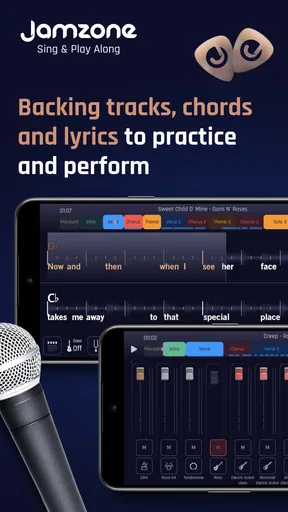
When I want to practise a song without recruiting a drummer, guitarist, and bassist, I like the idea behind Jamzone - Sing & Play Along: a backing band I can adjust to suit the part I’m working on. It’s a music practice app from Recisio, and its focus is practical rather than mysterious: play along with arranged tracks while following chords and lyrics. I see it as a useful rehearsal companion, especially for singers and players who want more structure than a standard karaoke track provides.
A practical starting point for rehearsal
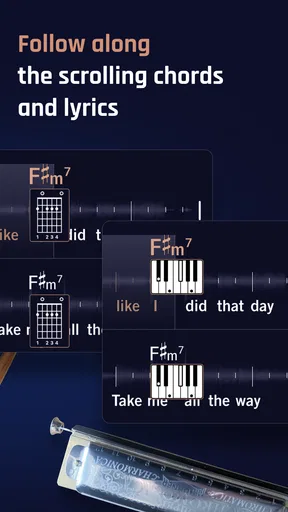
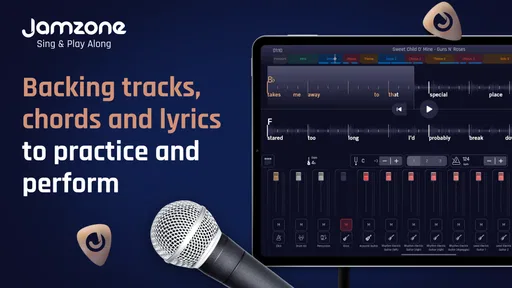
The first decision is what you want from a song. If you’re learning a vocal line, the lyrics give you something to follow while the accompaniment plays. If you’re working on an instrument, the chords offer a quick reference as you play. That combination makes the app easier to use for focused practice than simply putting on a finished recording and trying to pick your part out by ear.
A realistic use is a short practice session before work or after dinner: choose a song, make room for the instrument or voice you want to hear, and work through a passage a few times. You do not need a full rehearsal setup to get value from that routine. I would still treat the app as a practice tool, not a replacement for learning the song by listening closely or playing with other musicians.
What it feels like to make a mix
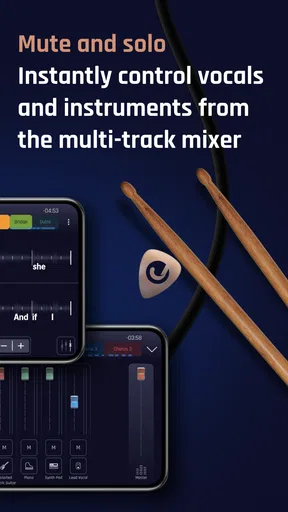
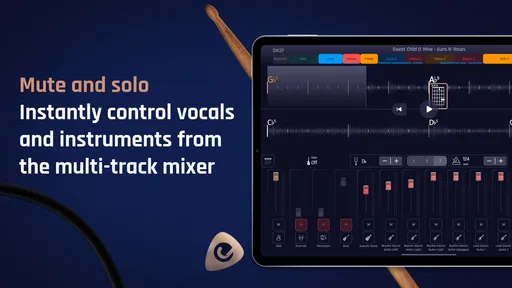
The ability to adjust the instrument tracks is the feature that gives the backing music its usefulness. Rather than accepting one fixed arrangement, I can make space for my own part by muting or lowering the parts that compete with it. That is a more musical way to practise than singing over a dense recording when I need to hear my timing or pitch clearly.
For a guitarist, for example, reducing the guitar in the accompaniment can make it easier to hear where the part fits without removing the rhythm section that keeps the song moving. A singer might prefer to leave the arrangement intact at first, then reduce elements that make it harder to follow the vocal. The trade-off is that mixing takes a little attention: if I change too many parts before starting, I can spend more time tweaking than practising. I get better results by making one adjustment, playing a section, and then deciding whether another change is actually needed.
Slowing down, changing key, and repeating a passage
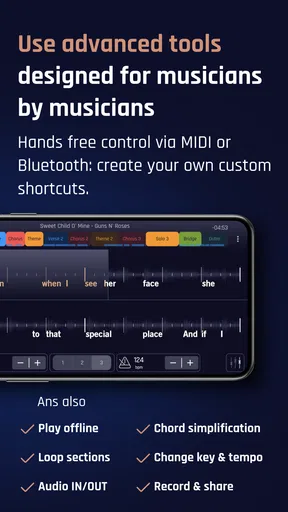
Tempo and pitch controls are useful when the original arrangement does not fit my current ability or vocal comfort. I can slow a song down to get a better grip on its timing, then bring the pace back up as the part becomes familiar. Changing the pitch can make a vocal session more comfortable, though I would use it to find a workable practice key rather than assume every adjustment will match the sound or range of a live performance.
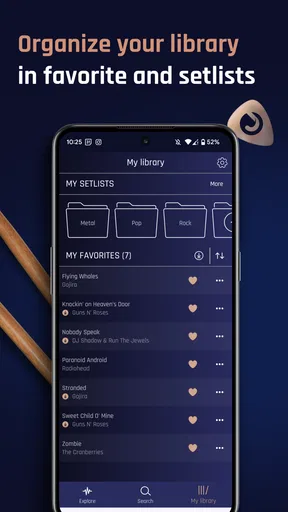
Looping is especially helpful for a difficult passage. Instead of restarting the entire song after missing one change or line, I can focus on the troublesome section and repeat it. A useful habit is to practise the loop slowly, make the transition into and out of it feel secure, and only then try the passage at a faster pace. Saving a preferred setup also makes it easier to return to a song without rebuilding the same mix each time.
Worth Reading Before You Choose

Baby Panda World Brings Quick Play to Modern Phones, but Its Game Library Feels Busy

ESPN’s Live Game View Makes Following Close Games Easier

QuizzLand Review: A Good Fit for Short Trivia Breaks, Not Every Player

Basketball Stars: Multiplayer Is Fast, but Can It Recover When Matches Go Wrong?

WEBTOON Turns Phone Updates Into a Better Reading Routine

Link to Windows Runs on Shared Habits, Not Social Feeds
Where it fits among music apps
Compared with ordinary karaoke, the appeal here is not only following lyrics: adjustable backing parts and chord guidance make the session relevant to instrumental practice too. Compared with a streaming service, it is more hands-on, but it is not the place I would go simply to browse an album or enjoy a finished recording. And compared with a metronome or a lesson app, it supplies musical context rather than concentrating on one technical exercise.
That makes it a good match for someone who already knows the basics of an instrument and wants a dependable way to practise songs, or for a singer who wants accompaniment that can be tailored to a session. It is less suitable if you need detailed, step-by-step teaching, want to produce a finished recording, or prefer to learn every arrangement from sheet music. The backing track helps you practise with a band-like sound; it does not explain every chord choice or teach technique on its own.
Getting Started with Jamzone
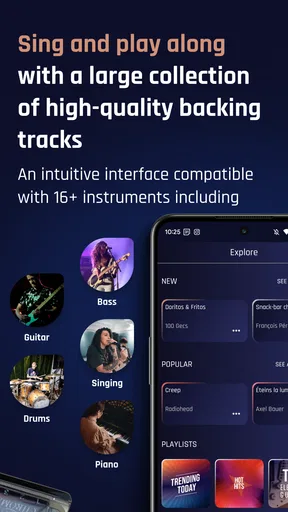
First off, downloading and setting up Jamzone is a breeze. Available on both Android and iOS, you can find it easily on your app store. Once you’ve got it installed, you’re greeted with a slick and intuitive interface. The design is modern and clean, which makes navigation a piece of cake. You get the sense that the developers really wanted to put the user experience front and center.
Exploring the Song Library
The app boasts a massive library of songs across various genres. Whether you're into rock, pop, jazz, or blues, there's something for everyone. I was like a kid in a candy store scrolling through the list. Each song is meticulously arranged, allowing you to choose which instruments to play or mute, so you can focus on what you love most, whether it’s singing or playing an instrument.
The coolest part? The lyrics and chords are displayed in real-time as the music plays. It's like karaoke but on steroids. You can adjust the pitch and tempo to match your vocal range or playing style, which is super handy if you want to practice at a slower pace before going full throttle.
Features that Stand Out
One of the standout features of the app is the ability to create your own custom mix. Imagine being able to isolate the guitar track or just hear the drums. This is fantastic for musicians who want to practice their parts or for singers who want to focus solely on their vocals. It’s like having your own personal sound engineer.
Another gem is the looping feature. You can loop a tricky part of the song and practice it until you nail it. It’s a lifesaver for those of us who might struggle with that one elusive riff or line. Plus, you can save your custom settings, so next time you jam, everything is right where you left it.
Social Jamming
Now, what’s music without sharing? Jamzone makes it easy to share your sessions with friends or even collaborate with other musicians. You can record your sessions and send them out or keep them for personal review. It’s a fantastic way to get feedback and improve your skills.
The app encourages community interaction, and there's even a space to connect with other users, share tips, and perhaps even start a virtual band. The possibilities are endless, and it’s a great way to stay motivated and inspired.
Access, costs, and everyday trade-offs
The app is free to install and is rated for Everyone, so it is approachable for a wide range of music fans. Some purchases are available inside the app, with listed item prices ranging from $9.99 to $19.99. I would think of the free download as a chance to see whether this style of practice suits me, then check the current in-app options before committing to anything. Those purchases matter most if you expect to use the app regularly; a casual singer may not get the same value from them as someone who returns to rehearsals often.
Recisio’s music app has an average rating of 4.5 from around 1.8 thousand ratings, and it has passed 100 thousand installs. It first appeared on June 6, 2018, and version 3.5.2 supports devices running Android 8.0 or later. Those details suggest an established app rather than a brand-new experiment, but they do not remove the practical question that matters most: whether the songs and controls fit the music you personally want to practise.
Before building a routine around it, I would check whether the tracks I care about are available and try a couple of different kinds of songs. A library can look broad while still missing a particular artist or arrangement that matters to an individual player. I would also test the lyrics and chord display on the device I plan to use during practice; readable guidance is only useful if I can glance at it without losing my place.
From practice session to sharing
The app’s recording and sharing options can help me review how a run-through went, but I would treat that as a simple handoff rather than a full music-production workflow. A saved session can be useful for hearing whether I rushed a change or drifted away from the accompaniment. It is not the same as editing a polished track, balancing a multitrack recording, or publishing a finished release. If the goal is to make a studio-quality song, a dedicated recording tool is the better choice.
For feedback, I would send a recording with a specific question—such as whether a chorus feels steady—rather than asking friends for a general verdict. That keeps the exchange useful and turns a casual share into a practical next step. I would also keep a note of which mix and tempo helped, since a recording alone may not remind me how I set up the practice session.
One small but valuable workflow choice is to separate learning from polishing. I can first use a reduced backing mix and slower tempo to understand a part, then restore more of the arrangement and increase the pace to check whether I can hold it in the full musical setting. That progression is more revealing than staying with the easiest version: it shows when I am relying on a simplified accompaniment instead of being ready to play along naturally.
Who will get the most from it
I would recommend it most to self-directed musicians who already have a song in mind and want a flexible way to rehearse it. A singer can work on pitch and phrasing against an adjustable arrangement; a guitarist or keyboard player can use chords and the other backing parts to practise fitting into a group sound. It can also suit friends sharing a room, with one person singing and another playing, because the accompaniment gives them a common structure without requiring everyone to learn every part first.
I would skip it if I needed a formal course, a live bandmate who can react to changes, or a complete production suite. It is also not an ideal substitute for a teacher when I cannot identify why a chord change or vocal phrase feels wrong. The app can give me a useful setting in which to notice the problem, but I still need listening, practice, or instruction to solve it.
Final Thoughts
In a nutshell, Jamzone - Sing & Play Along is a must-have for anyone passionate about music. Whether you're a budding musician or a seasoned pro, it offers a platform to express, practice, and perfect your craft. It’s user-friendly, packed with features, and quite frankly, a lot of fun.
If you’re looking for a way to take your jamming to the next level or simply want to enjoy some quality time with your favorite tunes, give Jamzone a shot. Trust me, you won’t be disappointed.
My more measured recommendation is to approach it as a rehearsal partner, not as a shortcut to musicianship. Its strongest value is the combination of adjustable accompaniment, lyrics, chords, and targeted repetition: together, they make it easier to turn spare time into focused song practice. The limits are just as clear. You still need to choose useful material, listen carefully, and decide what to work on, and people who mainly want passive listening or comprehensive instruction will be happier elsewhere.
Pros
- User-friendly interface for easy navigation.
- High-quality audio tracks for clear sound.
- Wide range of songs across various genres.
- Customizable backing tracks for flexibility.
- Regular updates with new songs added frequently.
Cons
- Requires internet for full song library access.
- Limited free content; subscription needed.
- Occasional bugs during playback.
- Not all songs have lyrics available.
- Device storage can be affected by downloads.
FAQs for Jamzone - Sing & Play Along
What is Jamzone and how does it work?
Jamzone is a music app designed for singers and musicians to practice and perform with high-quality backing tracks. It allows users to sing and play along with their favorite songs, offering customizable features like adjustable key and tempo. The app provides a vast library of tracks that cater to various musical tastes and genres.
Can I use Jamzone offline?
Yes, Jamzone offers an offline mode. Once you’ve downloaded your preferred tracks, you can access them without an internet connection. This feature is especially useful for practicing or performing in areas with limited connectivity, ensuring you always have your music at hand.
Is Jamzone suitable for beginners?
Absolutely! Jamzone is designed to be user-friendly, making it accessible for beginners and professionals alike. It offers features like chord displays, lyrics, and adjustable tempos to help users learn and practice at their own pace, making it an excellent tool for improving musical skills.
Does Jamzone offer a free version?
Jamzone provides a free version with limited access to its features. However, to unlock the full range of tracks and advanced functionalities, a subscription is required. The subscription offers unlimited access to the entire library and enhanced features, providing great value for avid users.
How often is the Jamzone library updated?
The Jamzone library is regularly updated with new tracks across various genres. This ensures that users have access to the latest hits and timeless classics. Frequent updates also mean users can explore new music and constantly expand their repertoire, keeping their practice sessions fresh and exciting.


